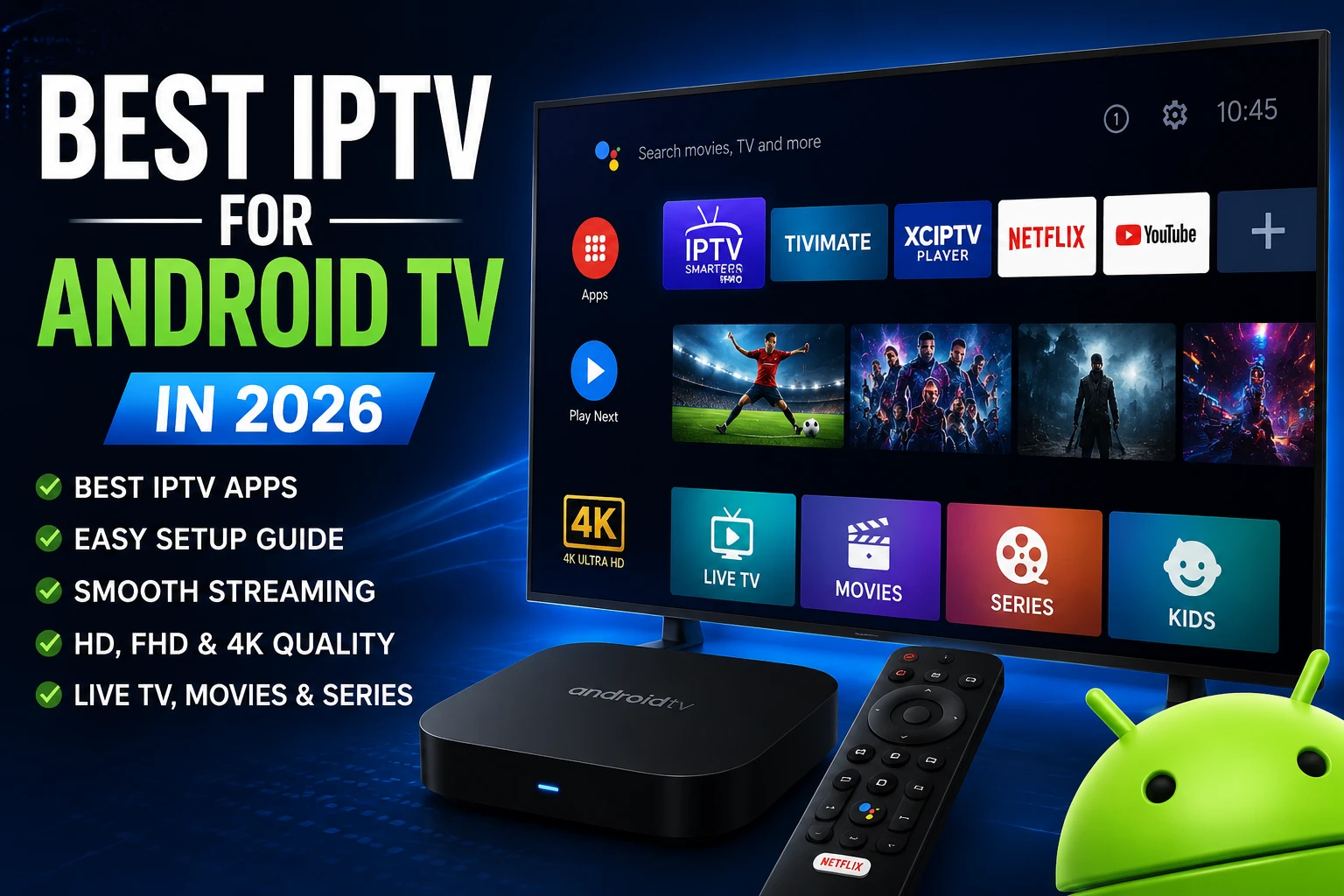
What is the best IPTV for Android TV in 2026?
The best IPTV for Android TV in 2026 is the app-and-subscription combination that gives you stable playback, smooth remote navigation, clear EPG support, and reliable channel delivery without constant troubleshooting. In real-world use, apps like TiviMate, IPTV Smarters Pro, and XCIPTV perform well when paired with a dependable provider such as Greatest IPTV.
The app alone does not create a premium experience. IPTV apps are players. Your subscription quality determines stream stability and channel access. Your app choice determines usability, layout, and how quickly your household can find and watch content every day.
Search behavior has changed fast. A few years ago, users typed "best IPTV app" and installed the first option they saw. In 2026, Android TV users ask better questions. They want to know whether an app supports Xtream Codes and M3U cleanly, whether it handles EPG data without lag, whether favorites and categories are easy to manage, and whether the user interface works for everyone in the home, not just one advanced user.
This is where many comparison articles fall short. They list app names but ignore decision context. A family with one living-room TV needs a different setup than a power user with NVIDIA Shield, Chromecast with Google TV, and a secondary bedroom box. Some users prioritize playlist flexibility. Others care most about fast startup, simple channel switching, and predictable playback during live sports windows. If your guide does not map app strengths to these scenarios, readers still leave confused.
This guide is built to solve that gap. You will get a practical side-by-side breakdown of major Android TV IPTV players, plus a setup framework that works with a serious subscription. If you are still weighing overall platform strategy, read the broader IPTV vs cable TV comparison, then return here for Android TV-specific execution.
Best IPTV apps for Android TV by use case
Not every user needs the same app. The best IPTV app for your Android TV depends on how much control you want, how simple you need the UI to be, and who in your home will use the remote daily. The quick picks below are based on practical usability, interface logic, feature depth, and maintenance stability.
Best overall for power users: TiviMate
Excellent navigation speed, polished TV-first UX, and strong playlist/EPG management. Ideal if you want full control over categories, groups, and layouts.
Best for easy onboarding: IPTV Smarters Pro
Simple login flow and familiar interface for new users. Works well if you want quick setup and cross-device consistency with phones and tablets.
Best lightweight option: XCIPTV
Fast and stable on mid-range hardware. Good choice for users who value speed over advanced visual customization.
Best for simple TV operation: SmartOne IPTV / Smart IPTV
Straightforward for users who prefer traditional channel-list viewing with minimal extra configuration menus.
Apps such as IBO Player and OTT Navigator are also relevant depending on your preferences. The key point is this: choosing a top player app is only half the equation. You need quality streams and reliable panel delivery behind the app. That is why advanced users pair their preferred app with a stable subscription from a trusted source like Greatest IPTV.
Detailed comparison table: top Android TV IPTV apps in 2026
The table below focuses on what matters in daily use: advantages, limitations, supported device ecosystems, ease of use, stream handling quality, and best-fit scenarios.
| App | Advantages | Disadvantages | Supported devices | Ease of use | Streaming quality handling | Best use case |
|---|---|---|---|---|---|---|
| TiviMate | Premium TV interface, excellent EPG tools, strong favorites and playlist management | Can feel advanced for first-time users; some features require extra setup time | Android TV, Google TV, NVIDIA Shield, Android boxes | High after initial setup | Very strong with quality source streams and stable internet | Users who want maximum control and polished living-room UX |
| IPTV Smarters Pro | Friendly onboarding, familiar interface, solid multi-screen basics | UI can feel less refined on large TV screens compared with TiviMate | Android TV, Android mobile, iOS, web variants | Very high for beginners | Good when paired with reliable provider credentials | New IPTV users and households wanting quick activation |
| SmartOne IPTV | Simple operation, straightforward TV-first workflow | Fewer advanced features for playlist power users | Android TV, selected Smart TVs | High | Good for standard live channel browsing | Users who want low-complexity daily viewing |
| Smart IPTV | Known name, easy channel list approach, basic navigation | Interface feels dated to some users; customization is limited | Android TV and compatible Smart TV environments | Medium to high | Stable with clean playlist data | Users who prefer classic IPTV interface behavior |
| IBO Player | Clean look, responsive playback, practical controls | Feature depth varies by version and user expectations | Android TV, Smart TV ecosystems, TV boxes | High | Strong for HD and many high-bitrate streams | Users wanting modern UI without heavy complexity |
| XCIPTV | Lightweight performance, fast startup, efficient navigation | Design is less premium than some alternatives | Android TV, Android boxes, Fire TV in many setups | High | Very reliable on moderate hardware | Performance-focused users and budget hardware owners |
| OTT Navigator | Deep customization, sorting control, advanced filtering | Steeper learning curve for non-technical users | Android TV, Android tablets/phones, TV boxes | Medium | Excellent when configured properly | Advanced users who want granular interface control |
Important context: all apps above are players, not subscriptions. They display content delivered by your IPTV provider credentials. If the subscription is unstable, no player can fully compensate. If the subscription is reliable, even a simple app can feel excellent. That is why quality users usually compare both app UX and provider quality at the same time.
Expert takeaway: pick your app based on household usability, then choose your subscription based on stream reliability and support quality. App-first without provider quality is incomplete. Provider-first without app usability is frustrating.
In-depth Android TV IPTV app breakdowns
The sections below go beyond feature lists and focus on how each app feels in day-to-day use on Android TV remotes, living-room screens, and mixed-user homes.
TiviMate
TiviMate remains the benchmark for Android TV users who care about interface quality and channel management depth. The app is designed for TV navigation rather than mobile adaptation, which makes a measurable difference when you spend hours browsing categories. The guide layout is clear, transitions are smooth, and playlist controls are detailed enough for users with complex channel libraries.
Where TiviMate shines most is long-term comfort. If you watch sports, news, and entertainment throughout the week, its structure saves time. Favorites are easier to maintain, EPG data is usually easier to navigate, and category cleanup feels predictable. The main trade-off is onboarding: first-time users may need an extra 15 to 20 minutes to configure everything exactly how they like it.
Best fit: experienced users and households that want a premium TV-native interface for a long-term setup.
IPTV Smarters Pro
IPTV Smarters Pro is widely used because it lowers setup friction. The login process is familiar, the menu language is clear for non-technical users, and cross-device behavior helps families using both TV and mobile apps. If your goal is to go from credentials to playback quickly, this app remains a dependable option.
Its main limitation is that some users find the large-screen TV UX less refined than TiviMate for heavy daily browsing. Still, for many homes, IPTV Smarters Pro is the practical winner because it gets everyone streaming without a steep learning curve. If you need complete installation steps, follow the dedicated IPTV Smarters Pro installation guide.
Best fit: beginners, mixed-device households, and users prioritizing fast onboarding.
SmartOne IPTV
SmartOne IPTV targets simplicity. The interface avoids overloading users with advanced controls and focuses on quick browsing. On living-room TVs used by multiple family members, this simplicity can become a major advantage because nobody needs to study menus to start watching.
The trade-off is advanced flexibility. If you enjoy deep playlist sorting or power-user customization, SmartOne may feel limited. But if your goal is a steady, no-drama channel viewing experience, it performs well, especially with a clean and reliable source lineup.
Best fit: families who prefer straightforward operation and minimal setup complexity.
Smart IPTV
Smart IPTV is still part of many user stacks due to familiarity and broad awareness in IPTV communities. It supports standard playlist behavior and can be a stable option when users want a classic channel-list pattern without modern UI experimentation.
That said, some users view it as less modern compared with newer player experiences. If visual polish and advanced workflow matter, other apps may be stronger. If stability and familiarity matter most, Smart IPTV remains usable.
Best fit: users comfortable with traditional IPTV navigation and simple channel workflows.
IBO Player
IBO Player has gained popularity for combining a clean modern appearance with practical performance. It often feels lighter than heavily customized setups while still offering enough control for everyday usability. Users who dislike cluttered interfaces usually respond well to IBO Player.
Its effectiveness still depends on your provider quality and playlist structure. With strong credentials and organized categories, it delivers a smooth experience. With poor data hygiene, no player can hide upstream issues.
Best fit: users wanting modern design and practical responsiveness without complexity overload.
XCIPTV
XCIPTV is a strong choice for speed-focused users and owners of mid-range Android TV hardware. It loads quickly, navigates fast, and does not require heavy resources. This makes it valuable for users who care more about consistent performance than UI aesthetics.
If your device is older or your TV box is not top-tier, XCIPTV can feel more stable than heavier alternatives. It is also common in setups where users just want the app to work every day with minimal maintenance.
Best fit: users prioritizing speed, reliability, and lightweight operation.
OTT Navigator
OTT Navigator is popular among advanced users who want granular control over sorting, categories, channel logic, and browsing behavior. It can be one of the most powerful options when fully configured, especially for users managing larger content structures.
The trade-off is complexity. Non-technical users may find the options overwhelming at first. If your household includes less technical viewers, you may need to invest time in initial setup so daily use remains smooth for everyone.
Best fit: advanced users who want deep customization and detailed control over channel structure.
Step-by-step: how to set up IPTV on Android TV correctly in 2026
Setup mistakes are still the main reason users think an app is bad when the real issue is configuration. Use this workflow once and your playback quality usually improves immediately.
1. Choose your primary app
Select one app based on your use case. Avoid installing five apps at once. Start with TiviMate or IPTV Smarters Pro if unsure.
2. Confirm Android TV compatibility
Check your device model and OS path using official references from Android Developers and Google TV.
3. Prepare your subscription credentials
Use M3U or Xtream Codes credentials from your provider. Reliable provider credentials reduce setup errors.
4. Install and sign in
Install your chosen player, enter credentials carefully, and test channel categories before changing advanced settings.
5. Configure EPG and favorites
Assign your favorite categories and remove unused groups. Better organization improves channel discovery and family usability.
6. Optimize network and playback
Use stable Wi-Fi or Ethernet, reboot the router if needed, and tune player buffers only when necessary. For troubleshooting steps, read how to fix IPTV buffering.
If your home also uses Fire TV devices, the process is similar but not identical. The dedicated Firestick IPTV guide is useful for cross-device households.
Voice-search friendly quick answers
Which IPTV app is best for Android TV? TiviMate is often best for power users; IPTV Smarters Pro is often best for easy onboarding; XCIPTV is often best for lightweight performance.
Do IPTV apps include channels by themselves? No. IPTV apps are media players. You need a subscription from a provider such as Greatest IPTV to access channels.
How can I reduce buffering on Android TV IPTV? Use a reliable provider, stable internet, updated app version, and clean EPG/playlist setup. Avoid overloading old hardware with heavy UI configurations.
Expert tips for better Android TV IPTV streaming quality
Use Ethernet for your main TV when possible
Wi-Fi is fine for many homes, but wired connections usually improve stream consistency during peak evening hours.
Keep one stable app profile
Frequent switching between apps can create confusion in households. Pick one primary app and maintain it cleanly.
Organize channel groups early
Delete unused categories and pin favorites. Better structure means faster channel access and less remote fatigue.
Update app and firmware monthly
Routine updates reduce compatibility issues and fix playback bugs that many users mistakenly blame on their subscription.
Two additional resources can help advanced users make better setup decisions. First, official Android TV developer documentation clarifies how Android TV behavior differs from mobile Android. Second, Google TV support documentation explains account and system-level behavior that affects app performance in some households.
Warnings: common mistakes that hurt Android TV IPTV performance
Most streaming frustration comes from avoidable setup errors. These warnings are based on repeated troubleshooting patterns seen across new users.
Do this instead
- Choose one reliable player and configure it properly.
- Use a trusted subscription with responsive support.
- Validate credentials once, then test categories methodically.
- Maintain a clean favorites list and minimal UI clutter.
- Contact support before making major changes.
Avoid these mistakes
- Installing multiple apps at once and mixing settings.
- Assuming every buffering event is an app problem.
- Ignoring device storage limits and outdated firmware.
- Choosing subscription only by lowest price.
- Skipping policy and support checks before payment.
For broader platform references, you can review Amazon Fire TV resources for multi-device homes and Apple TV support documentation if your household mixes Apple and Android screens. If you want foundational context on Android TV itself, Android TV on Wikipedia provides a neutral ecosystem overview.
People also ask about the best IPTV for Android TV
Is TiviMate better than IPTV Smarters Pro on Android TV?
For advanced TV-first usability, many users prefer TiviMate. For simpler setup and broad familiarity, many users prefer IPTV Smarters Pro. The better choice depends on your household skill level and interface preference.
Can I use the same IPTV subscription on different Android TV apps?
In many cases, yes, as long as your provider supports the credential format and your plan terms allow it. App compatibility is usually not the bottleneck; subscription quality and setup hygiene are.
What is the best IPTV app for older Android TV boxes?
XCIPTV is commonly recommended for older or mid-range hardware because it is lightweight and responsive. Keep your expectations realistic and avoid heavy UI customization on low-resource devices.
Which app is easiest for families?
IPTV Smarters Pro and SmartOne IPTV are often easier for non-technical users. Their simpler workflows reduce onboarding friction for households sharing one living-room remote.
Do these apps work best with a specific subscription type?
They work best with subscriptions that deliver stable streams, clean playlist data, and fast support. That is why users often pair these apps with a reliable service such as Greatest IPTV rather than random low-cost sources.
FAQ: best IPTV for Android TV in 2026
IPTV Smarters Pro is often the easiest starting point because setup is straightforward and the interface is familiar for first-time users.
TiviMate is usually the top pick for advanced users who want deeper playlist control, refined EPG handling, and a premium TV-first layout.
No. IPTV players are apps for playback and navigation. You still need a separate subscription, such as Greatest IPTV, to access channels.
Start with one app guide and one troubleshooting guide. We recommend combining this page with the IPTV Smarters setup tutorial and a structured buffering fix workflow.
Yes. Many households run both. Keep setup documentation separate for each platform and align them with one reliable provider for easier support.
The exact requirement varies by stream quality, but stable bandwidth and low network congestion are more important than raw peak speed alone.
Review plan details, confirm your device model, choose one primary app, and contact support with your exact TV box model before checkout.
Use our support team for pre-sales setup guidance before activation.
Final verdict: the right Android TV IPTV stack in 2026
If you want the practical answer, here it is: choose the app based on your household behavior, then choose the subscription based on reliability and support. For advanced Android TV users, TiviMate often delivers the strongest interface control. For quick onboarding, IPTV Smarters Pro is often the easiest route. For lightweight performance, XCIPTV remains a strong option. SmartOne IPTV, Smart IPTV, and IBO Player all have valid use cases depending on your preference for simplicity versus customization.
The bigger decision is upstream quality. No player app can fix a weak stream source. If you want stable everyday viewing, pair your chosen app with a dependable service. That is why many users choose Greatest IPTV: clear plans, practical support, and a setup path designed for real devices rather than generic promises. Start from the home page, choose the app that suits your home, and connect a reliable subscription for a far better experience than chasing random app trends each month.