On This Page
Quick Answer: Which IPTV App Is Best for Smart TV?
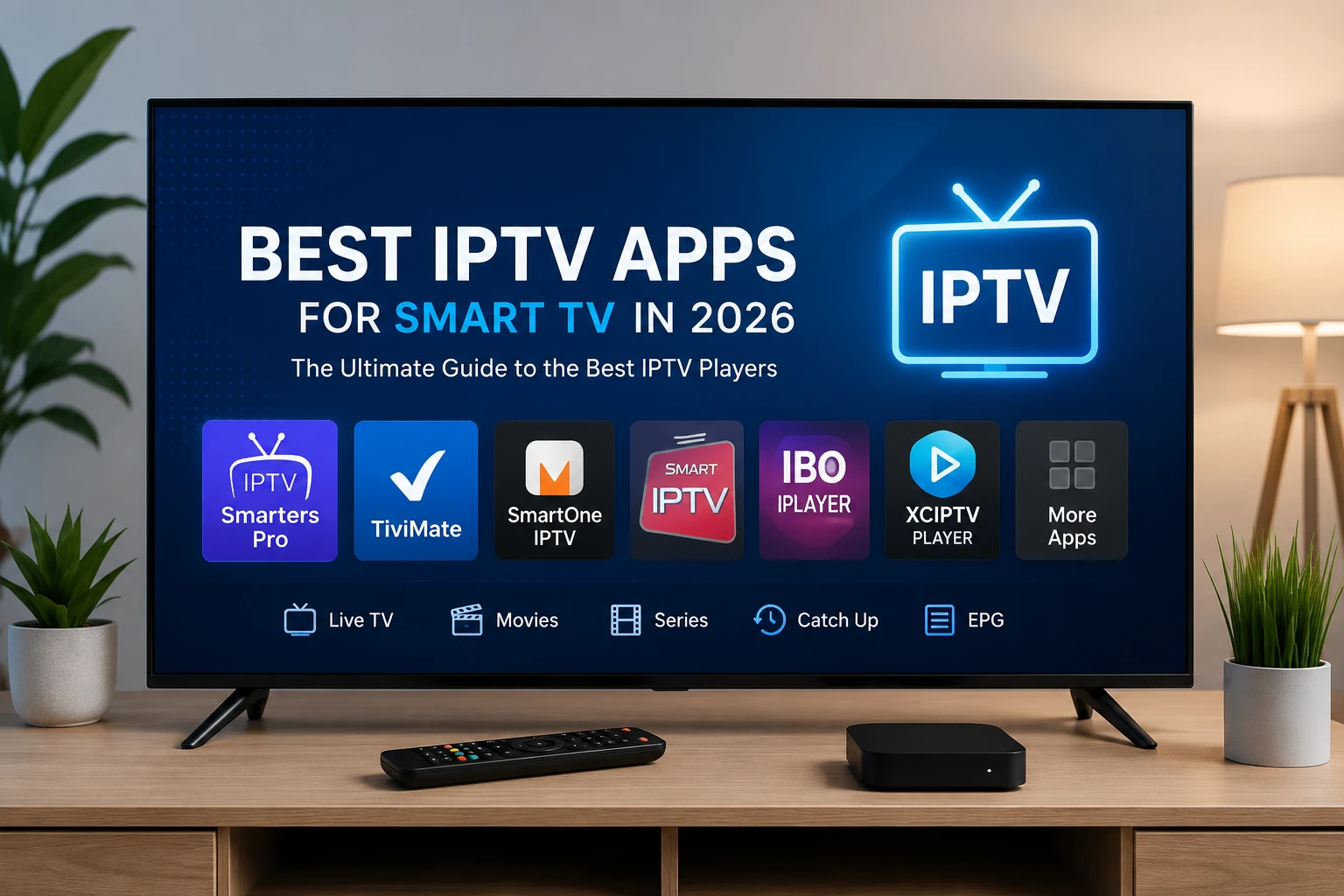
If you want one direct answer, the best IPTV app for Smart TV in 2026 is usually IPTV Smarters Pro for beginners, TiviMate for Android TV and Google TV users who want a premium interface, and SmartOne IPTV or Smart IPTV for Samsung and LG owners who want native-style Smart TV support. The right choice depends on your television operating system, how much you care about interface design, and whether you prefer a simple login flow or deeper playlist control.
That said, a player is only half the equation. The viewing experience becomes much better when the app is paired with a dependable subscription from a provider such as Greatest IPTV, because the stability of the source stream matters more than any logo on the TV screen. If you are still comparing service options, start with our Best IPTV USA 2026 guide and the main pricing page.
Best IPTV Apps for Smart TV: Detailed Comparison
The table below compares the most popular Smart TV IPTV players by their strengths, weaknesses, supported devices, ease of use, streaming quality experience, and best use cases. This is the fastest way to narrow your shortlist before you install anything.
| App | Advantages | Disadvantages | Supported Devices | Ease of Use | Streaming Quality | Best Use Case |
|---|---|---|---|---|---|---|
| IPTV Smarters Pro | Easy login, familiar layout, multi-playlist support, EPG-friendly, good for first-time users. | Interface can feel busy, some features depend on device and version, not the most elegant design. | Android TV, Google TV, Fire TV, some Android devices; limited native Smart TV support. | Very easy | Very good | Beginners who want the simplest setup path. |
| TiviMate | Excellent TV-style interface, great channel management, polished guide view, strong favorites handling. | Best experience is on Android TV/Google TV; not ideal for Samsung or LG native stores. | Android TV, Google TV, Fire TV, Android boxes. | Easy | Excellent | Power users who want the most refined living-room experience. |
| SmartOne IPTV | Strong Smart TV compatibility, simple activation, often a good fit for Samsung and LG owners. | Interface and feature depth can vary by TV model and app version. | Samsung Tizen, LG webOS, some Android TV models. | Easy | Good | Users who want a true Smart TV app without extra hardware. |
| Smart IPTV | Well-known Smart TV player, straightforward playlist loading, lightweight on supported TVs. | Setup can feel dated, device support is narrower, and the interface is not as modern as newer players. | Samsung Smart TV, LG webOS, select Android TV devices. | Moderate | Good | Viewers who prioritize compatibility with classic Smart TV models. |
| IBO Player | Clean layout, decent playlist handling, solid Smart TV support, good balance of simplicity and control. | Some users need time to learn activation and playlist management. | Samsung, LG, Android TV, and some other Smart TV platforms depending on region. | Moderate | Very good | Users who want a cleaner Smart TV experience with enough control to fine-tune viewing. |
| XCIPTV | Fast navigation, modern layout, useful playback tools, often popular with Android TV users. | Usually stronger on Android-based devices than on built-in TV platforms. | Android TV, Google TV, Fire TV, Android boxes. | Easy | Very good | Android TV households that want a responsive player with a modern feel. |
| OTT Navigator | Advanced sorting, deep customization, flexible playlist controls, strong for experienced users. | Not the simplest option for first-time users; setup can feel more technical. | Android TV, Google TV, Android boxes, select mobile devices. | Advanced | Excellent | Users who want maximum control over channel organization and playback behavior. |
How to read the table
If you want the easiest path, choose the app that already fits your TV platform. Samsung and LG users usually benefit from SmartOne IPTV, Smart IPTV, or IBO Player. Android TV and Google TV users usually get the best long-term experience from TiviMate, IPTV Smarters Pro, or XCIPTV. For a broader comparison of service quality, device support, and pricing, our best IPTV USA guide and IPTV for Smart TV USA article can help you compare the subscription side too.
LSI Keywords and Related Searches
LSI keywords: Smart TV IPTV player, IPTV app for Samsung TV, IPTV app for LG TV, Android TV IPTV app, Google TV IPTV app, IPTV playlist player, Xtream Codes login, IPTV EPG setup, remote-friendly IPTV app.
Related searches: best IPTV player for Smart TV, IPTV Smarters Pro for Samsung TV, TiviMate on Google TV, SmartOne IPTV review, Smart IPTV app setup, XCIPTV for Android TV, how to install IPTV on Smart TV.
How to Choose the Right IPTV App for Your Smart TV
Picking the right app is easier when you stop focusing on brand names and start focusing on the platform your television actually uses. A great app on the wrong operating system is still the wrong app. The practical goal is not to install the most popular player; it is to install the player that fits your TV, your streaming habits, and your subscription workflow.
Check your TV operating system first
Samsung TVs use Tizen, LG TVs use webOS, and many Sony, TCL, Hisense, and Philips models use Android TV or Google TV. That matters because not every IPTV player is available on every store. If you already know your TV platform, you can rule out half the market in seconds and avoid wasting time on incompatible installs.
Choose simplicity or control, not both at once
Beginners usually want a simple login, a stable channel list, and a clean electronic program guide. Advanced users usually want better sorting, custom categories, subtitle handling, and faster navigation with a remote. IPTV Smarters Pro is easier to learn. TiviMate and OTT Navigator give you more control. SmartOne IPTV, Smart IPTV, and IBO Player sit in the middle depending on your TV model.
Look at how the app handles playlists and EPG
A strong player should handle Xtream Codes, M3U playlists, and EPG data without making the process awkward. If an app makes the setup flow confusing, you will feel that every time you open it. That is why many readers pair a straightforward app with a stable subscription from Greatest IPTV USA, then keep the player itself as simple as possible.
Think about who will actually use the TV
A family living room needs an app that is easy for everyone. A single user who likes to sort channels and optimize the interface may prefer a more advanced player. If you are buying for a household with mixed technical comfort levels, your best result usually comes from the combination of a stable subscription, a clear remote-friendly app, and a setup that is documented in a way the whole household can repeat later.
App-by-App Reviews: The Best IPTV Apps for Smart TV
1. IPTV Smarters Pro
IPTV Smarters Pro remains one of the most searched IPTV players because it is familiar, simple to explain, and easy to hand off to a family member after setup. The app supports the login styles most IPTV subscribers actually use, including Xtream Codes and playlist-based connections. It also offers a recognizable TV layout, which makes it a practical choice for people who want the software to get out of the way.
For Smart TV users, the real strength of IPTV Smarters Pro is friction reduction. You can get to live TV, VOD, and the EPG without hunting through a complicated menu tree. That is why it is often the best first recommendation for people who are also following our Smart TV setup guide. The tradeoff is that the interface can feel a little busy compared with TiviMate, especially on a smaller screen.
- Advantages: Beginner-friendly, familiar, broad device support, good for multiple playlists.
- Disadvantages: UI can feel crowded and less premium than the best Android TV players.
- Best for: Users who want the easiest all-round setup and fast onboarding.
2. TiviMate
TiviMate is the app many experienced Android TV users end up preferring after trying a few alternatives. Its biggest advantage is how natural it feels on a television screen. The interface is clean, the channel guide is easy to scan, and the overall design feels more like a premium TV platform than a generic media app.
If your Smart TV ecosystem is actually Android TV or Google TV, TiviMate is hard to beat. It gives you the kind of navigation and layout control that make channel surfing feel better, not just functional. The downside is simple: it is not the strongest choice for Samsung and LG native stores, so users on those platforms usually need to look elsewhere. If you are comparing Android TV streaming setups, you may also want to read our Firestick IPTV guide because the same remote-first principles apply.
- Advantages: Beautiful TV interface, strong EPG view, excellent remote navigation.
- Disadvantages: Best on Android-based devices, limited appeal on non-Android Smart TVs.
- Best for: Android TV households that value polish and control.
3. SmartOne IPTV
SmartOne IPTV is one of the more practical choices for users who want to stay inside the TV ecosystem instead of adding an extra streaming box. That makes it attractive for Samsung and LG owners who want a direct Smart TV player rather than a workaround. The setup is usually straightforward, and the app is known for doing the core job without too much complexity.
SmartOne IPTV is especially useful if your priority is convenience over customization. It is not usually the most advanced player, but it can be a very sensible fit for viewers who just want dependable playback and a cleaner route to their channels. For readers comparing regional service options, our Best IPTV UK 2026 guide is a useful companion article because many Smart TV buyers need to match app choice with local channel expectations.
- Advantages: Strong Smart TV compatibility, simple activation, low learning curve.
- Disadvantages: Feature depth depends on the device and app version.
- Best for: Samsung and LG users who want to keep everything native.
4. Smart IPTV
Smart IPTV is one of the best-known names in the Smart TV space and still deserves consideration because it works well for users who want a lightweight, focused player. The app has been around long enough that many viewers already understand the basic workflow: load the playlist, manage channels, and start watching.
The main reason to choose Smart IPTV is compatibility with older or more traditional Smart TV setups. It may not feel as modern as TiviMate or as beginner-friendly as IPTV Smarters Pro, but it still does the job for viewers who care more about reliability than bells and whistles. If you are building a straightforward home setup and want the service side explained clearly, our home page and pricing page are the fastest places to compare the subscription angle.
- Advantages: Lightweight, familiar, proven on many older Smart TVs.
- Disadvantages: Interface feels dated and feature depth is limited compared with newer apps.
- Best for: Traditional Smart TV users who value compatibility and simplicity.
5. IBO Player
IBO Player sits in a useful middle ground. It can feel more polished than some older players while still remaining practical enough for everyday TV use. Many readers like it because the layout is straightforward, the learning curve is not steep, and the app tends to be a reasonable fit for users who want a better experience than a bare-bones playlist viewer.
For households that care about design and speed without wanting to manage every technical detail, IBO Player is a smart compromise. It is also a strong candidate if you expect different people in the home to use the TV, because the app is generally easy to hand over once the playlist is loaded. If you want a cleaner overview of the service behind the app, see our Greatest IPTV overview for a practical explanation of the subscription side.
- Advantages: Clean layout, solid Smart TV support, balanced control.
- Disadvantages: Activation and playlist steps can still confuse first-time users.
- Best for: Viewers who want a polished Smart TV player without overcomplication.
6. XCIPTV
XCIPTV is popular with Android TV and Google TV users because it feels quick and modern. If you care about responsiveness when moving through menus or switching categories, XCIPTV can be a strong choice. It also tends to appeal to users who have already spent time with IPTV apps and want something that feels a little more refined than the most basic options.
Like TiviMate, XCIPTV usually performs best in Android-based environments. That makes it a natural match for households using Android TV boxes or Google TV sets rather than Samsung or LG native stores. If you are comparing the service itself, the next logical step is to read about our IPTV for Smart TV USA guide, which explains how app choice and subscription quality should work together.
- Advantages: Fast navigation, modern feel, strong on Android-based devices.
- Disadvantages: Less universal across non-Android Smart TVs.
- Best for: Android TV users who want a responsive player with a contemporary layout.
7. OTT Navigator
OTT Navigator is the app for people who love control. It offers deeper sorting, more advanced playlist management, and a more technical feel than the average Smart TV player. If you like organizing channels, changing behavior, and tuning the way your TV experience looks and feels, this is one of the most flexible players in the group.
The tradeoff is that OTT Navigator is not the most beginner-friendly choice. It rewards users who are willing to spend a little time learning the interface. For advanced households or users who maintain a larger channel lineup, though, that extra control can be worth it. If you are also interested in how a service can support multiple viewing setups, our IPTV reseller page explains the partner side for multi-client and multi-line use cases.
- Advantages: Deep customization, strong sorting tools, excellent for power users.
- Disadvantages: More technical than other players and less suited to casual users.
- Best for: Experienced viewers who want maximum control over the interface.
Best IPTV App by Smart TV Platform
If you want the most practical recommendation possible, use your TV platform as the starting point. That one decision narrows the field fast and prevents a lot of wasted setup time.
- Samsung Smart TV: SmartOne IPTV, Smart IPTV, and IBO Player are usually the first apps to check.
- LG Smart TV: SmartOne IPTV, Smart IPTV, and IBO Player are often the most natural fits.
- Android TV / Google TV: TiviMate, IPTV Smarters Pro, XCIPTV, and OTT Navigator are usually the strongest choices.
- Fire TV devices: IPTV Smarters Pro and XCIPTV remain practical options for people who are not using the TV store directly.
Official platform references
When you are confirming whether an app should work on your television, it helps to check the platform owner directly. For Android-based TVs, see the Android Developers TV documentation. For Google TV guidance, use Google TV support. For device-specific help, review Amazon Fire TV support, Samsung Support, and LG Support.
Step-by-Step Guide to Set Up an IPTV App on a Smart TV
The general setup flow is similar across most players, even if the menus look different. If you can complete this process once, you can usually repeat it on another TV with only minor changes.
- Confirm your TV platform. Check whether the television is Samsung, LG, Android TV, or Google TV before you install anything.
- Install the player from the official store. Use the app store on your TV whenever possible to reduce compatibility issues.
- Choose the login method. Use Xtream Codes if your provider gives it to you, or load the M3U playlist if that is the format you received.
- Add the EPG. A good program guide makes live TV much easier to browse and is worth setting up correctly.
- Adjust playback settings. Start with the default configuration, then tweak buffer, subtitles, and audio only if you see issues.
- Test a few channels and VOD titles. Do not judge the app after one stream. Test live TV, a high-bitrate channel, and one on-demand title before deciding it is ready.
- Save the login details securely. That makes future reinstallation or device replacement much easier.
If you want a more detailed installation walkthrough with screenshots and device notes, read the complete IPTV setup guide for Smart TVs. It covers the process in a more step-by-step format and is especially useful if this is your first install.
Expert Tips for Better Streaming Quality
- Use Ethernet when possible: A wired connection usually improves stability more than any app tweak.
- Prefer Xtream Codes over manual playlist work: If your provider offers it, this is typically the cleaner option.
- Start with the default player settings: Over-tuning can create more problems than it solves.
- Keep the app updated: Better compatibility and bug fixes often arrive in the newest release.
- Use one primary player per TV: Multiple overlapping apps can make troubleshooting harder.
- Choose the right subscription first: The app matters, but a stable source from Greatest IPTV matters more.
Warnings to keep in mind
Do not assume that a flashy interface means a better streaming experience. A weak source feed will still buffer in a beautiful app. Avoid downloading random APKs or unofficial copies of popular players from sites you do not trust, because that creates security and compatibility risks. Also remember that app availability can change by region and by Smart TV model, so it is smarter to confirm store support before you commit to a long setup session.
Why the Subscription Matters More Than the App
The app is the doorway, not the source of the stream. If your IPTV subscription is unstable, even the best player will not fully solve the problem. That is why many readers focus on finding a reliable subscription first and then matching it with the right Smart TV app afterward. A solid provider keeps the stream cleaner, the channel list more predictable, and the overall experience more consistent.
For users who want a sensible place to start, Greatest IPTV is built to work with the same popular players covered in this article. If you are ready to compare options, our pricing page and checkout page make it easy to move from research to setup. If you still need human help, use the contact page and ask which app is the best fit for your television model.
Frequently Asked Questions
What is the best IPTV app for Samsung Smart TV?
For Samsung Smart TV, SmartOne IPTV, Smart IPTV, and IBO Player are often the first apps to check because they fit the platform more naturally. If your Samsung model has a different app environment or you prefer an external device, IPTV Smarters Pro may still be useful.
What is the best IPTV app for LG Smart TV?
LG owners usually look at SmartOne IPTV, Smart IPTV, and IBO Player first. The best choice depends on the exact webOS version and the app store availability on your model, so always confirm compatibility before you make a final decision.
Is IPTV Smarters Pro free?
Some versions or device builds may be free to install, but features and availability can vary. Even when the app is free, you still need a valid IPTV subscription to watch anything, which is why the provider side matters so much.
Do I need a subscription to use these Smart TV apps?
Yes. These are players, not channel services. Without a subscription, playlist, or login credentials from a provider, the app cannot deliver live channels or on-demand content.
Which IPTV app is easiest for beginners?
IPTV Smarters Pro is usually the easiest starting point because it is widely familiar, supports the most common login methods, and does not require a deep learning curve. If you want a more polished interface on Android TV, TiviMate is often the next best option.
How do I choose between Smart IPTV and SmartOne IPTV?
Use your TV model and your comfort level as the deciding factors. SmartOne IPTV often feels more approachable on newer Smart TV platforms, while Smart IPTV remains attractive for users who already know its workflow or who are using older compatible TVs.
Voice search version
If you are asking the question out loud, the short answer is this: the best IPTV app for Smart TV in 2026 depends on your TV brand, but IPTV Smarters Pro, TiviMate, SmartOne IPTV, Smart IPTV, IBO Player, and XCIPTV are the main names worth comparing. Pair the app with a stable subscription from Greatest IPTV for the best result.
Related Reading
Ready to Pair the Right App With a Reliable Subscription?
Choose the Smart TV player that fits your device, then match it with a stable service that is built to work well with the app. Greatest IPTV is the practical place to start if you want clean setup guidance, flexible plan options, and a better viewing experience without guesswork.